


To search
Softonic Rating:
Excellent910
License:
Free
Added:
March 14, 2008
Publisher:
Website
File size:
55 KB
Downloads:
121
Elena Santos

“Excellent task manager to check system active processes”

by Elena Santos

The Windows Task Manager is quite a limited tool when it comes to check what's going on in your computer. Besides a long active process list, there's really nothing you can learn from this tool: no related applications, no libraries in use, not even the application those processes belong to.

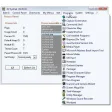
This is why ProcX can easily become your favorite alternate task manager from now on. This excellent tool analyzes and displays all active processes on your system at any moment, including details about their use of CPU and RAM, their full path and many other useful data.

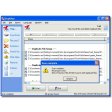
But the ace up this program's sleeve is the context menu you open by right clicking on any process. From here you can terminate it in several ways (though the differences among them are not that clear), search for more information about this process on Google and also mark the file to be deleted on next system startup. I personally found this last option simply brilliant, as it'll enable you to delete files that can't be touched because they're in use. ProcX also shows associated DLL files to each process and includes the option to set it as the default task manager – which I would definitely do. Plus, it doesn't require installation.

If you're looking for a serious, full featured alternative to the standard Windows Task Manager, ProcX is an excellent choice.


Languages:

English

OS requirements for ProcX:

  • OS: Win2000/XP/2003
Pros
  • Shows apps that active processes belong to
  • Shows related DLL files
  • Can replace Windows Task Manager straight away
  • Links to Google for more info
Cons
  • No explanations about the differences between the 3 ways to kill processes
Did you like this review?
1 of 1 users liked it (100%)

Featured program

Softonic gives special recognition to software of exceptionally high quality. More information

From the publisher of ProcX

ProcX displays all running processes and modules on your systems. It is a necessity to monitor running processes on your system to determine if anything malicious may be running. ProcX allows you to perform various functions on these running processes and DLLs. ProcX is especially useful for system administrators who disinfect computers.

  • Display running processes and modules and view the resource usage
  • Delete process or module even when in use
  • Shows the processes accessing the network
  • Shows network accesses on request
  • Shows when a program tries to use a system process name
  • Displays loaded DLLs per process
  • Allow you to terminate a process in various ways (normal, higher, brutal)
  • Allow you to terminate, delete and/or rename a process
  • Allow you to set a process or a DLL to be deleted at next reboot
  • Compute MD5 checksum fingerprint of any process and copy it into the clipboard
  • Search a process name on Google
  • View properties of a process
  • Suspend/Resume/Terminate a process
  • Memory dump of a process

ProcX options

ProcX Options
Softonic Rating:Excellent
User Rating
Your opinion is important!

Download stats

Related

Related searches


Are you the developer of ProcX?

If your program has received a Softonic rating, feel free to use the following award badge on your site or as part of any other promotional feature you may be putting together.

ProcX Softonic Rating

Click on the above text field to copy the necessary HTML to your clipboard and then paste it to your website. It will display your program's Softonic Rating and will link to your program page.

Any queries? Contact us if you want more info.

Close